
Perguntas frequentes IA

How to Copy Code in Vibe Block

How to Copy Code in Vibe Block

You can copy block code in two ways.

From an example: Click Use code to copy the block code. The block will be added to the page automatically.
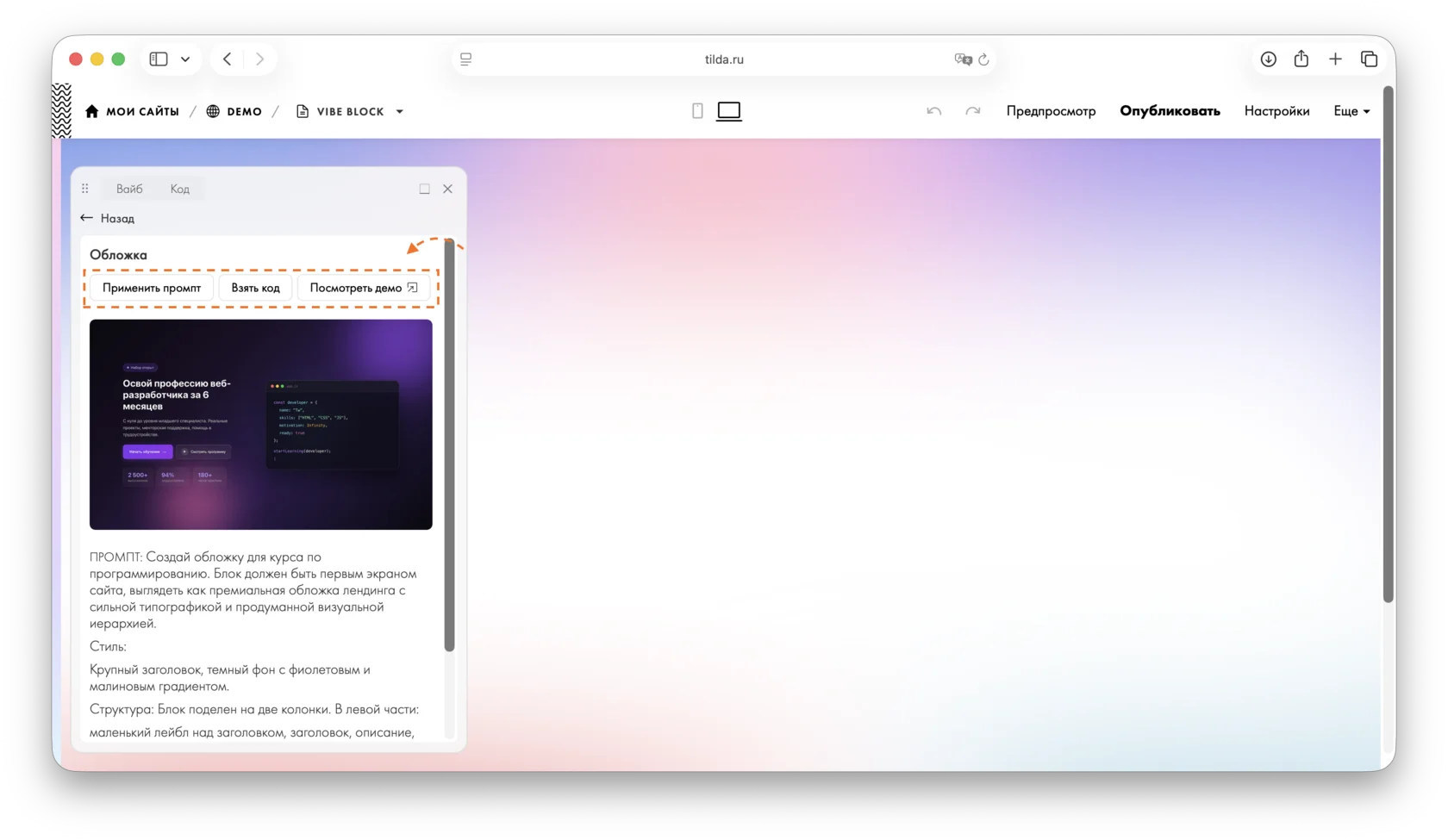
Vibe Block panel: the "View demo" button next to "Apply prompt" and "Take the code".

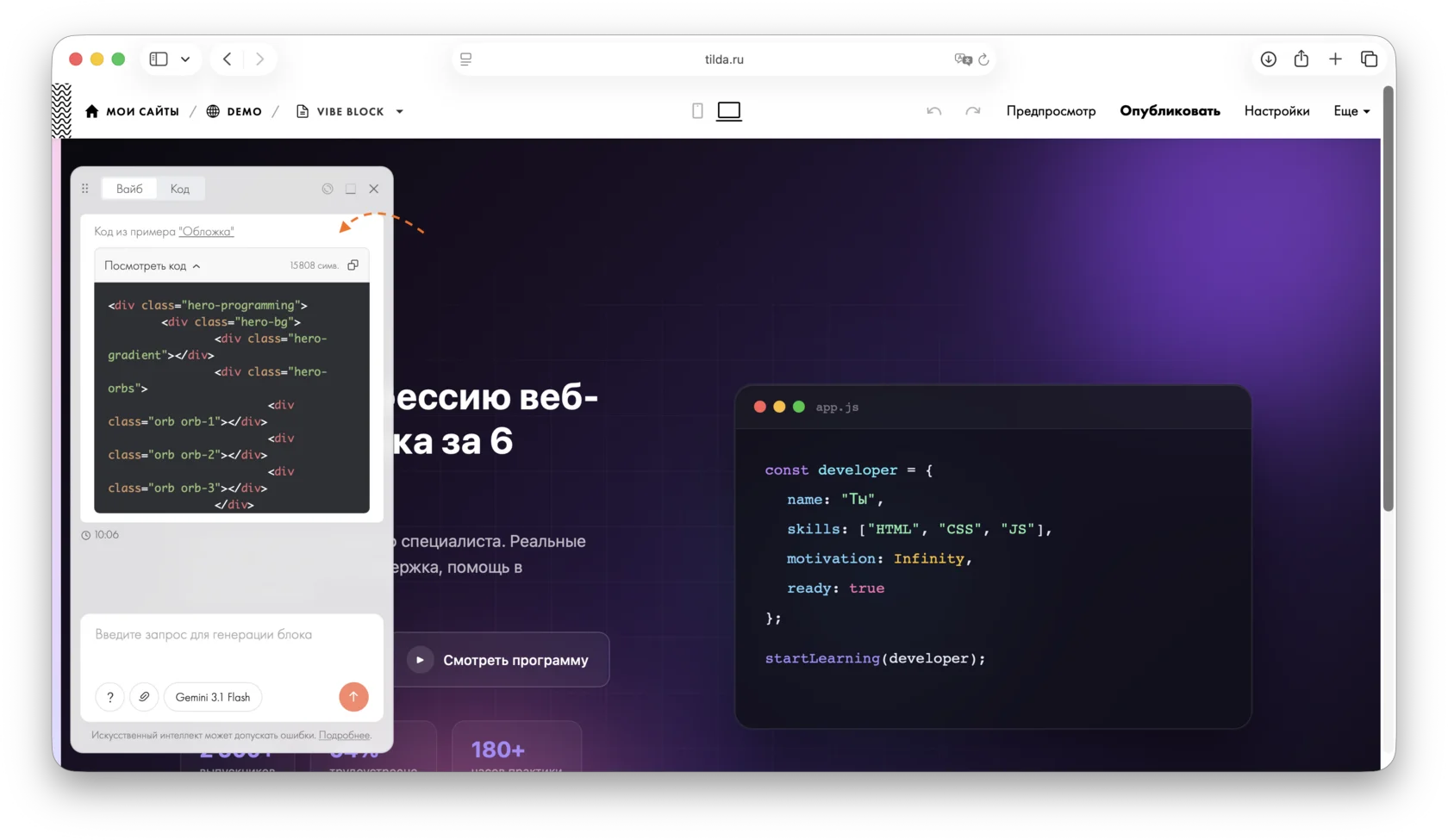
In Vibe Block: the "View code" section with the generated block's code in the chat panel on the left.

From the chat: Expand the response containing the code and copy it.
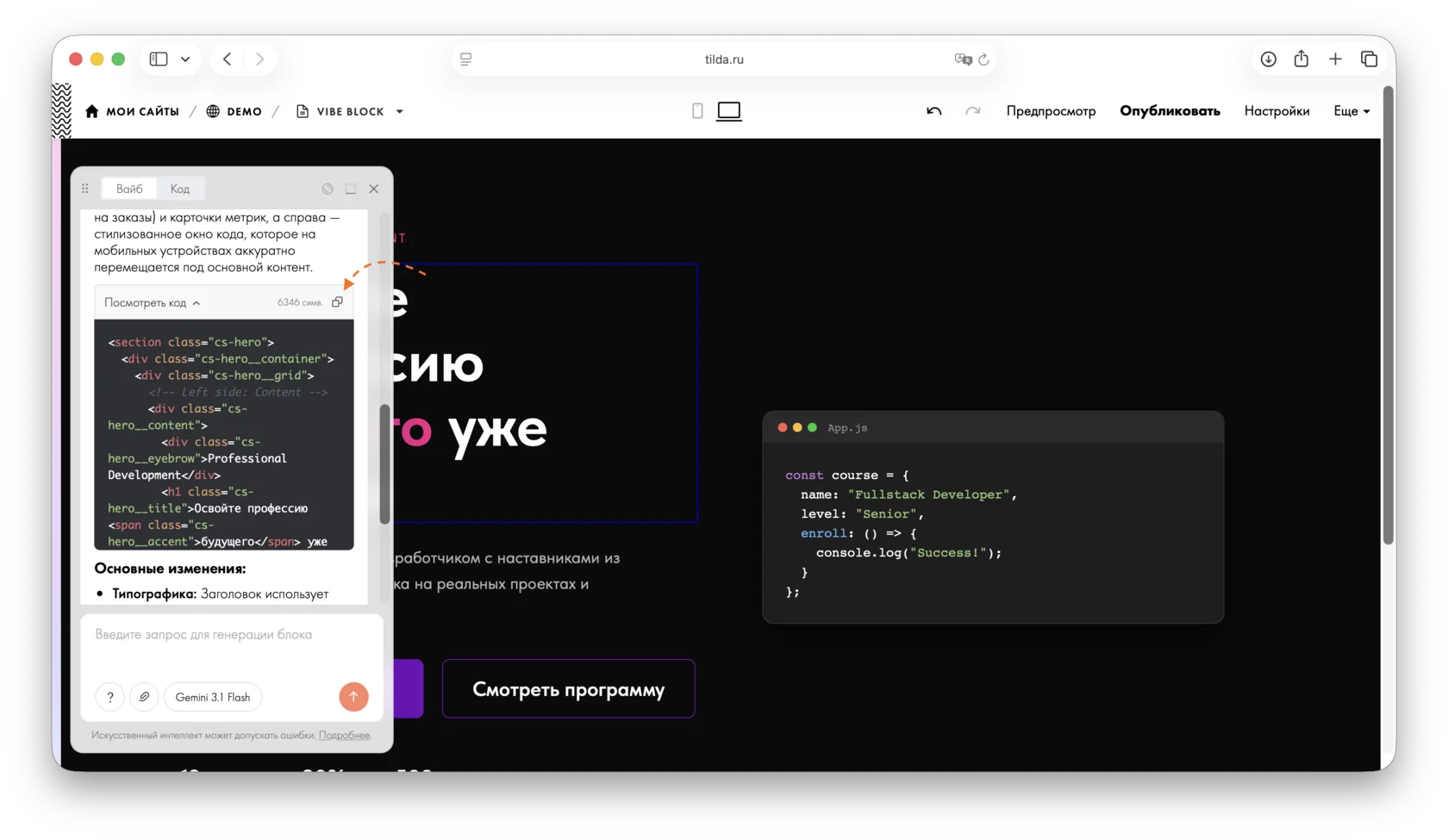
Vibe Block generator panel: the copy icon next to "View code" above the generated HTML code block.

Essa resposta foi útil?
Sim
0
Não
0
Visualizações: 9