
How to Customize the Customer Account Layout
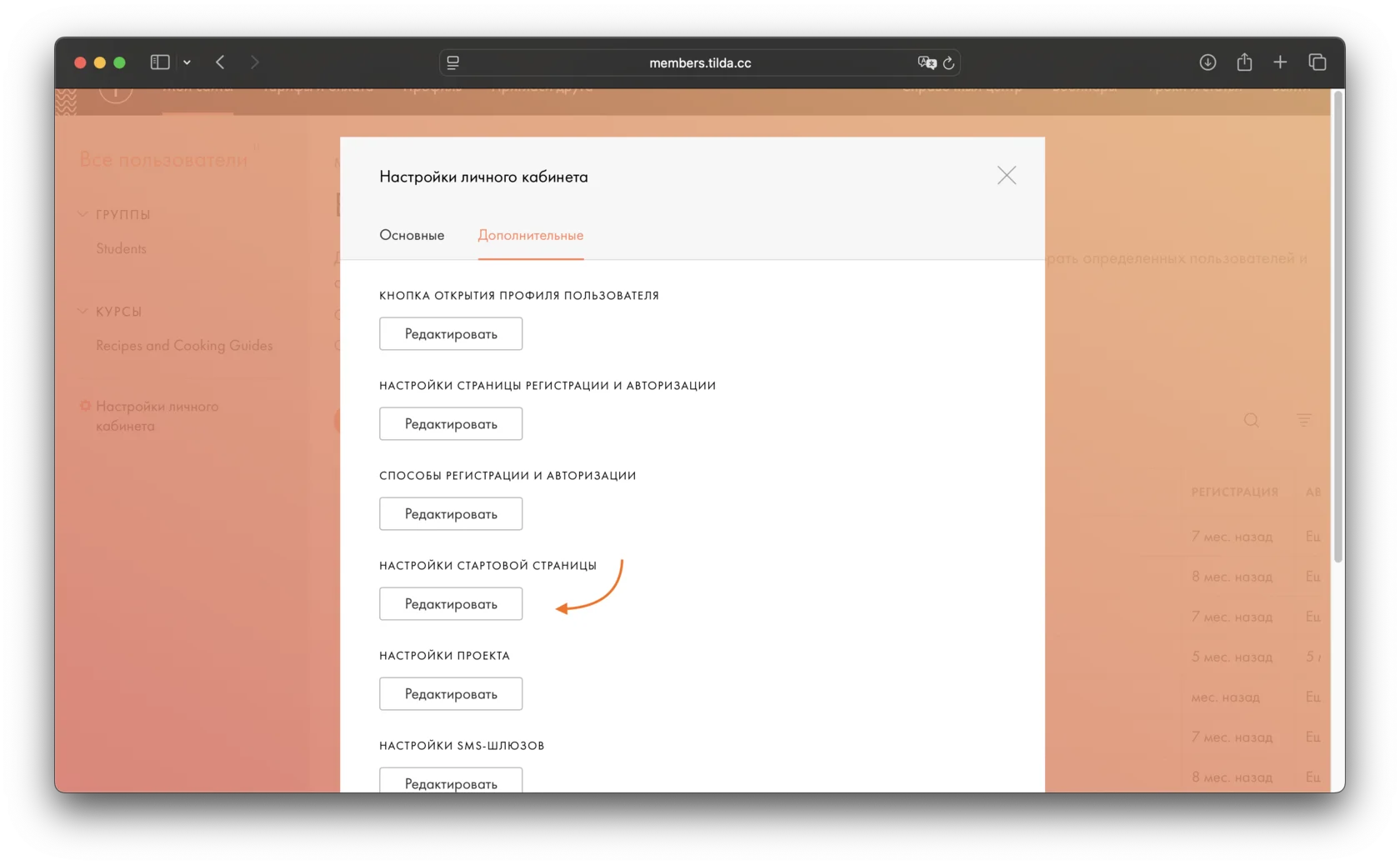
You can control how much information is displayed on the online store customer account page. To do this, go to Customer Account Settings, open the More tab, and click Home Page Settings.
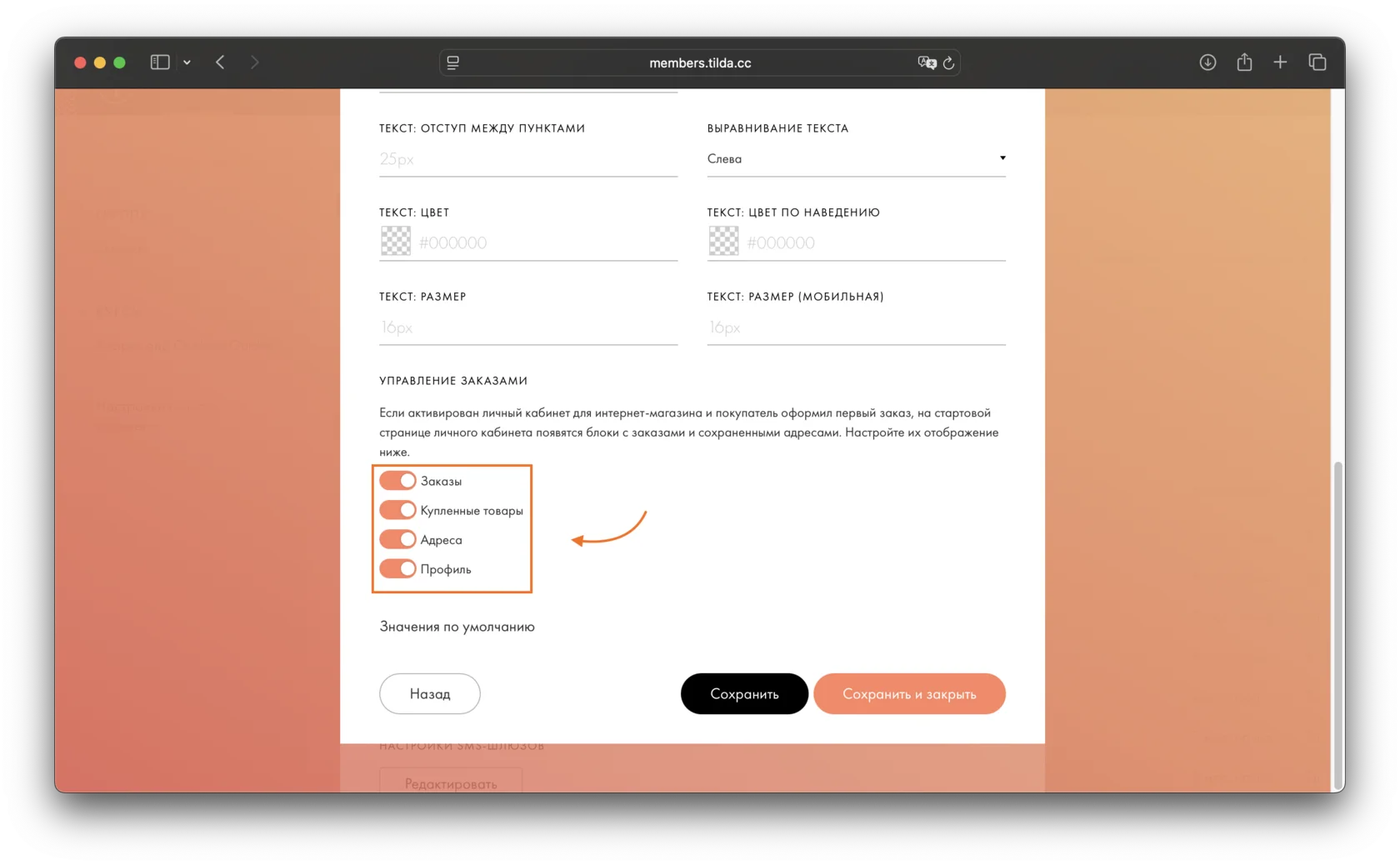
Find the Order Management section. Disable the items you do not want to display in the customer account: orders, purchased products, addresses, or profile. By default, all of these items are enabled and displayed in the customer account.
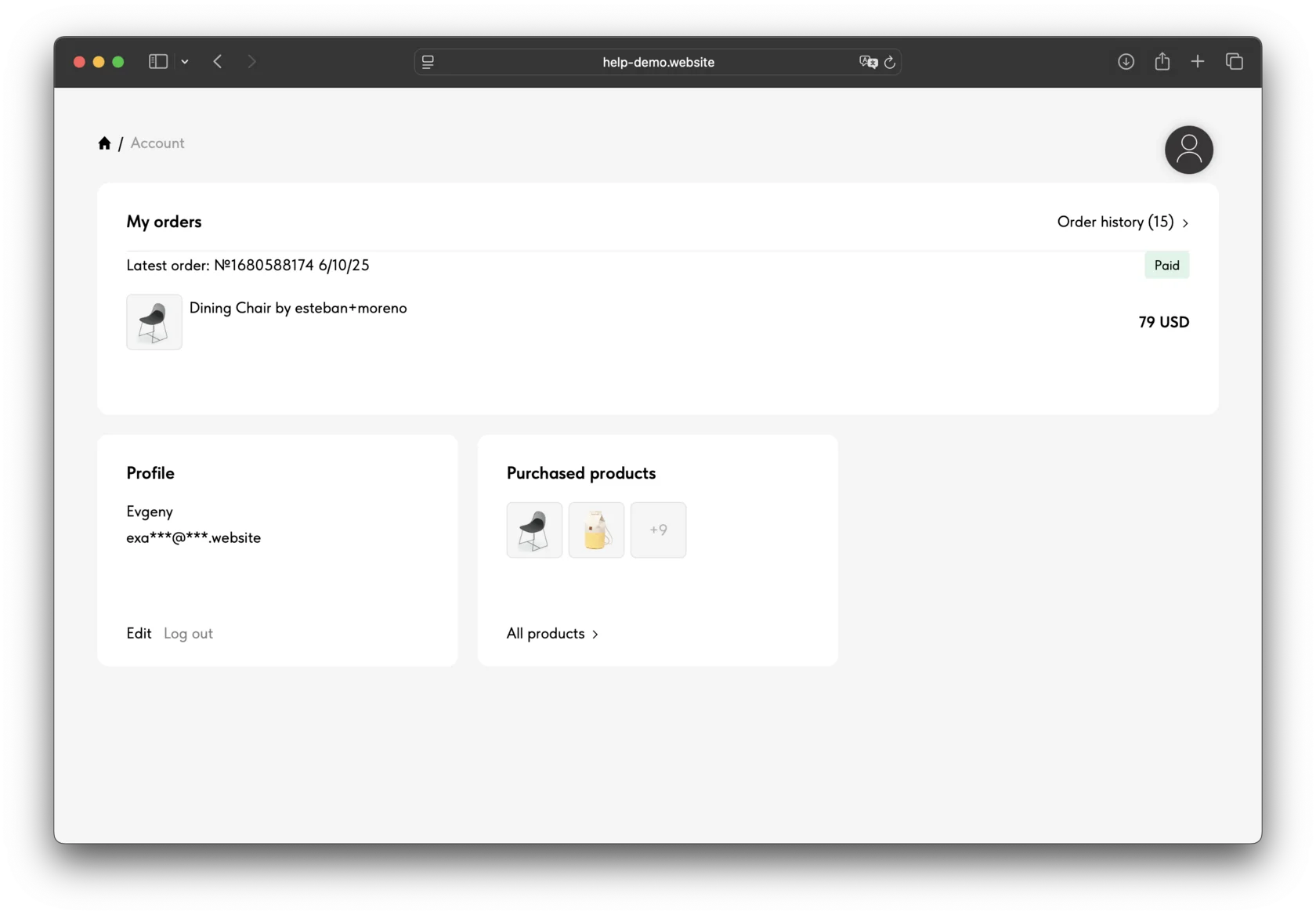
This is how the customer account will look to the user:
Learn more about setting up customer accounts for your online store in the Help Center:
Similar questions
Was this answer helpful?

Yes
0

No
0