
Jak dodać rabat w zależności od ilości produktu lub całkowitej ceny zakupu?
Aby skonfigurować rabaty, przejdź do katalogu produktów → kliknij trzy kropki w górnym menu → wybierz "Rabaty".
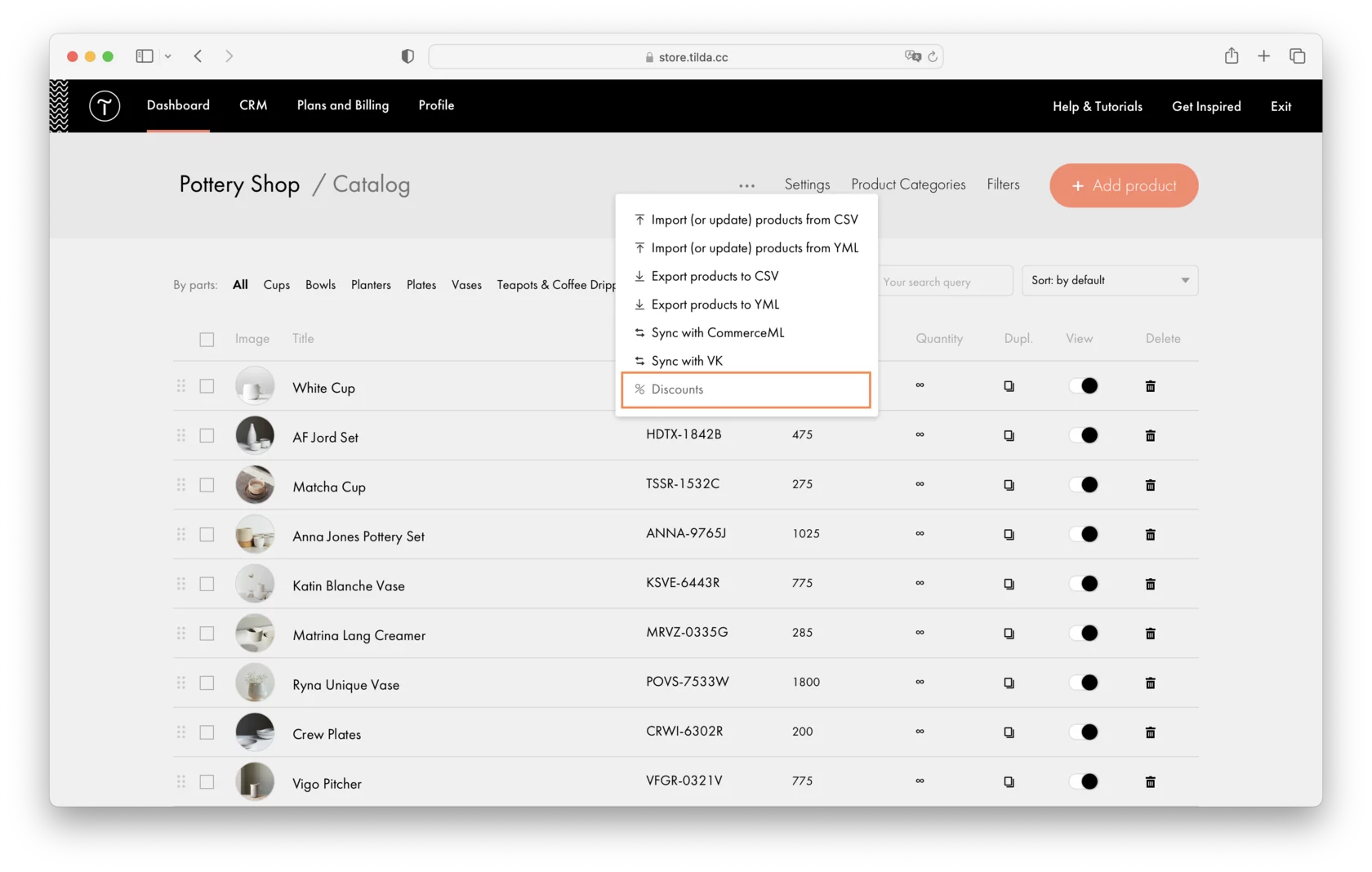
There are two different types of discounts: linear and differential. They can vary depending either on the product amount or on the total price of the purchase.
W przypadku rabatów liniowych należy określić minimalną i maksymalną wartość rabatu w zależności od określonego parametru (ceny lub ilości produktu). Na przykład, jeśli ustawisz minimalny i maksymalny rabat dla 5 i 10 produktów, rabat wzrośnie liniowo w tym zakresie.
Differential discounts allow you to set several discount rules, such as specifying a discount value for 5, 10, 20, and 100 items ordered. You can add multiple rules in the ascending order of the parameters: product quantity, the total price of the purchase, and the discount value. The discount specified in the rule remains active until the following rule is completed.
W katalogu można utworzyć kilka rabatów, określić czas ich obowiązywania, limity, kategorie produktów i produkty, do których można zastosować rabaty, a także tytuł rabatu dla wygody.
Nasz szczegółowy przewodnik na temat konfigurowania dynamicznych rabatów: https://help.tilda.cc/online-store/discounts
Podobne pytania

